Try X (Twitter) — Measured header, a bio that actually fits, and threads with hooks now, no sign-up needed

X (Twitter) — Measured header, a bio that actually fits, and threads with hooks · Your header, bio and thread, measured before you publish
For anyone building a personal brand or running a business account on X (formerly Twitter): the 1500×500 header is composed with the safe zone drawn and your profile photo overlaid, the bio is written with the counter that counts the way X counts and the thread arrives numbered and with a hook. The app doesn't go into your account: you copy, paste and upload.
In the features that use AI, responses are generated by artificial intelligence and are not a substitute for professional advice.

항상 M 사이즈를 입으니까 M 사이즈를 주문하시나요?
Shein은 당신의 사이즈를 게시하지 않습니다. 대신 의류의 센티미터 치수를 게시하는데, 이는 종종 테이블 위에서 평평하게 측정된 것이며, 당신은 줄자로 둘레를 측정합니다. 이 두 숫자를 직접 비교하는 것이 거의 모든 반품의 원인입니다. 이 앱은 당신을 위해 계산합니다: 필요할 때 평면 측정치를 두 배로 늘리고, 인치를 센티미터로 변환하고, 당신의 치수를 빼서 각 부위의 실제 여유 공간을 알려줍니다. 이 계산은 당신의 휴대폰에서 이루어지는 결정론적 산술이며, 의견이 아닙니다. 동일한 데이터는 항상 동일한 결과를 제공하며, 각 센티미터가 어디에서 나왔는지 확인할 수 있습니다. SHEIN™과 관련 없는 독립적인 도구입니다.
See the tools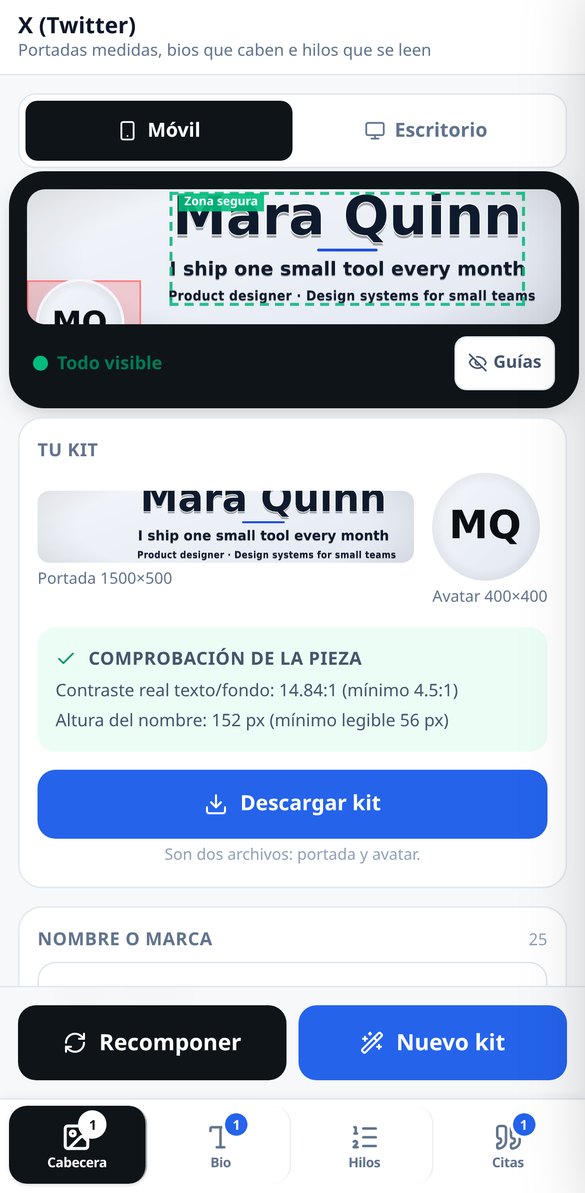
Discover every feature in detail
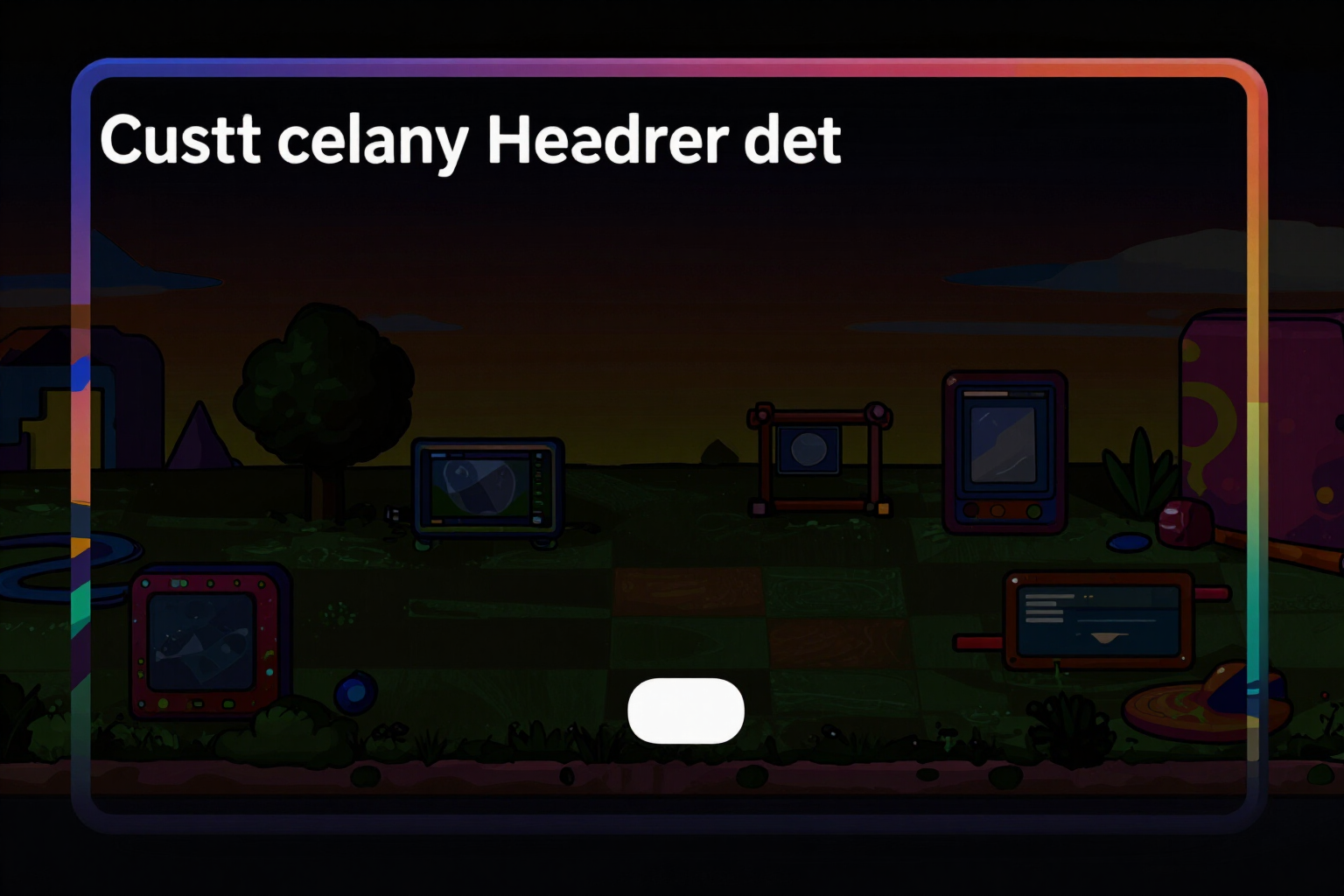
Profile header for X (Twitter) in 1500x500 with exact measurements
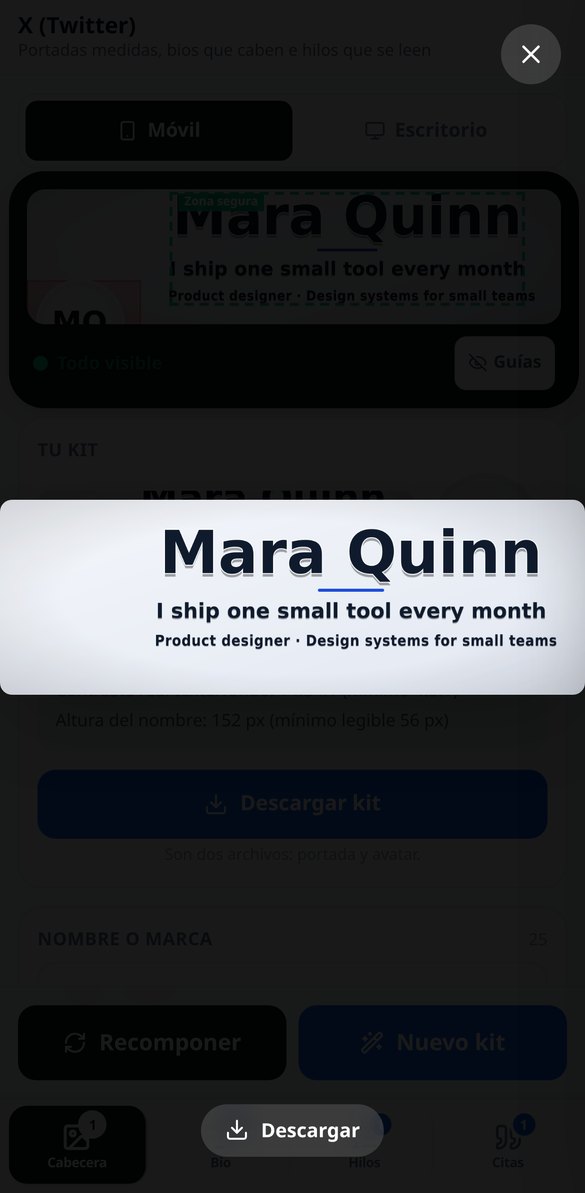
Generate your X profile header in 1500×500: labels within the safe zone, verified contrast, and the measured PNG before downloading. No account connection required.
Try it free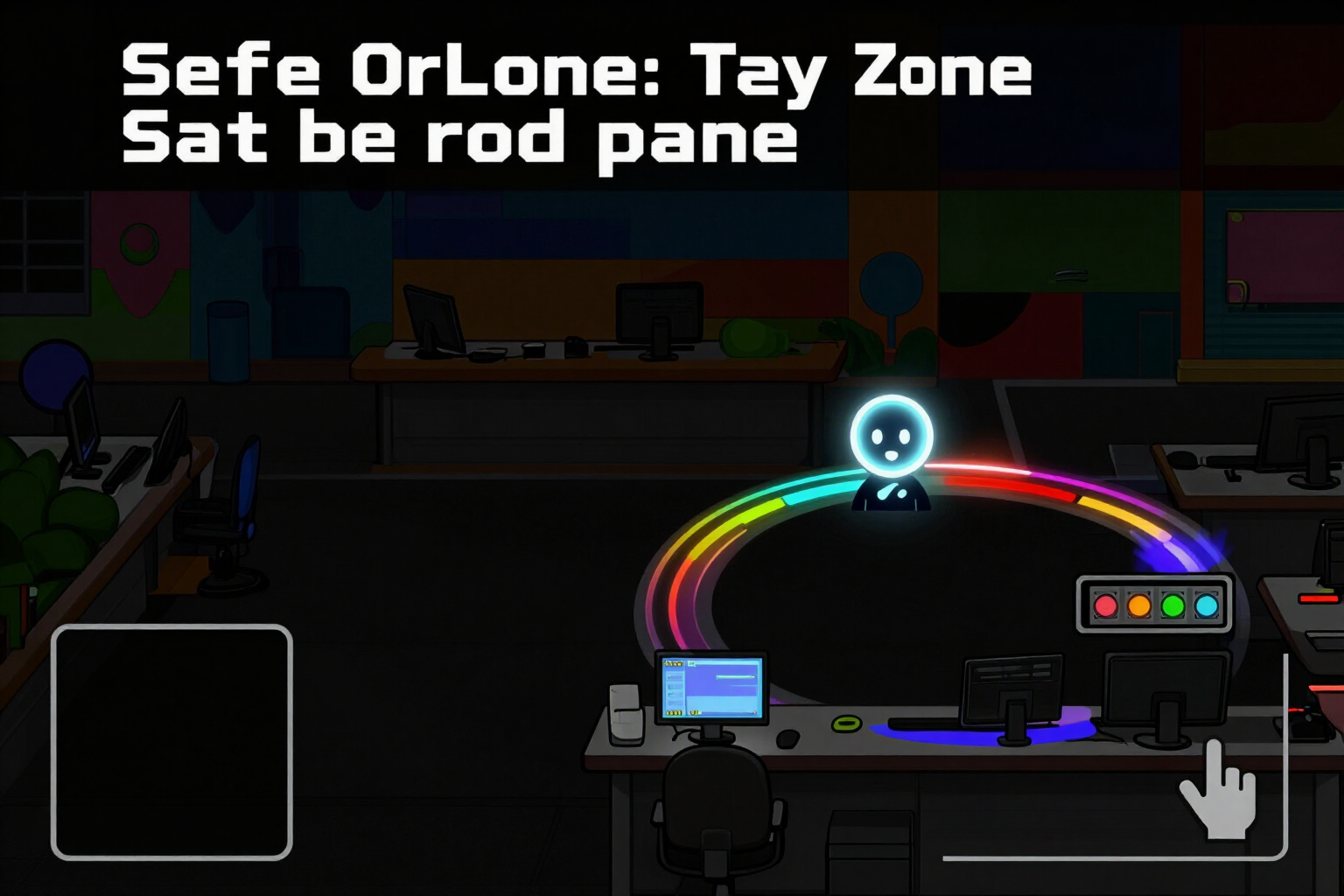
Safe Zone of the Twitter Header: Simulator with Profile Picture and Mobile Crop
Check where your profile picture covers the header of X (Twitter): simulator with the avatar circle, the safe zone of 1500×500, mobile and desktop crop, and a traffic-light indicator with three states. No registration.
Try it free
400x400 Avatar for X (Twitter) matching the cover
Generate the X profile picture in 400×400 in the same operation as the cover: monogram, pictogram, or cropped art, all within the circle and with measured contrast.
Try it free
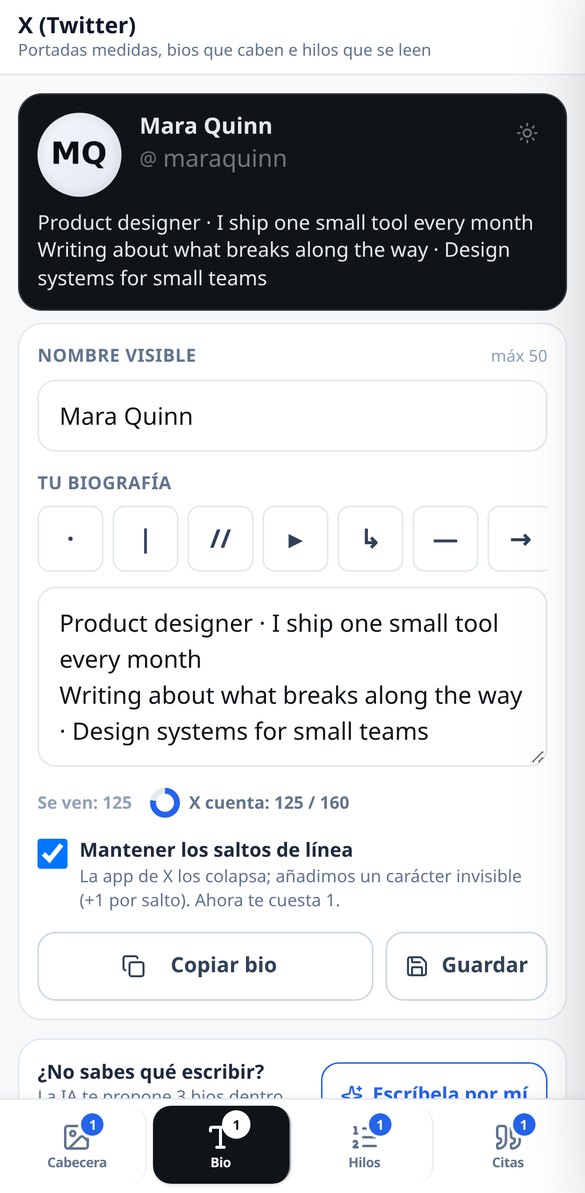
Font and letter generator for Twitter bio (X): 7 Unicode styles
Convert your X (Twitter) bio into 7 Unicode styles —bold, monospace, italic, small caps, bubble, underlined, and strikethrough— without breaking emojis, links, mentions, or hashtags. Free and no registration.
Try it free
AI Bio Generator for X (Twitter): 3 options in 160 characters
Create your X (formerly Twitter) biography with AI: say what you do, for whom, and what you offer, choose the tone, and receive 3 proposals already tailored to 160 characters, with emojis counting as 2. No account connection required.
Try it free
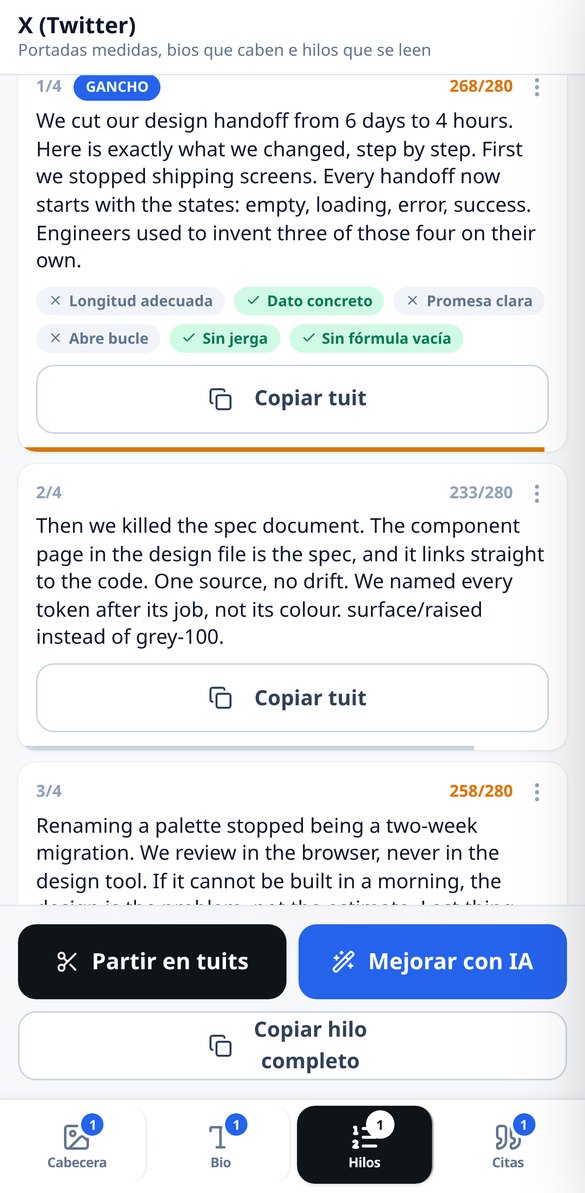
Thread generator for X (Twitter): hook, numbering, and 280 measured
Create X (formerly Twitter) threads with a hook in a single generation: choose tone and length, the numbering counts within 280, and the tweets that exceed are distributed by meaning. No account connection required.
Try it free
Split long text into tweets: thread splitter for X (Twitter)
Paste an article or your notes and the app splits it into 280-character tweets respecting your words: it cuts by sentences, never in the middle of a word or within a link, and numbers counting the numbering. Free, no AI, and no registration.
Try it free
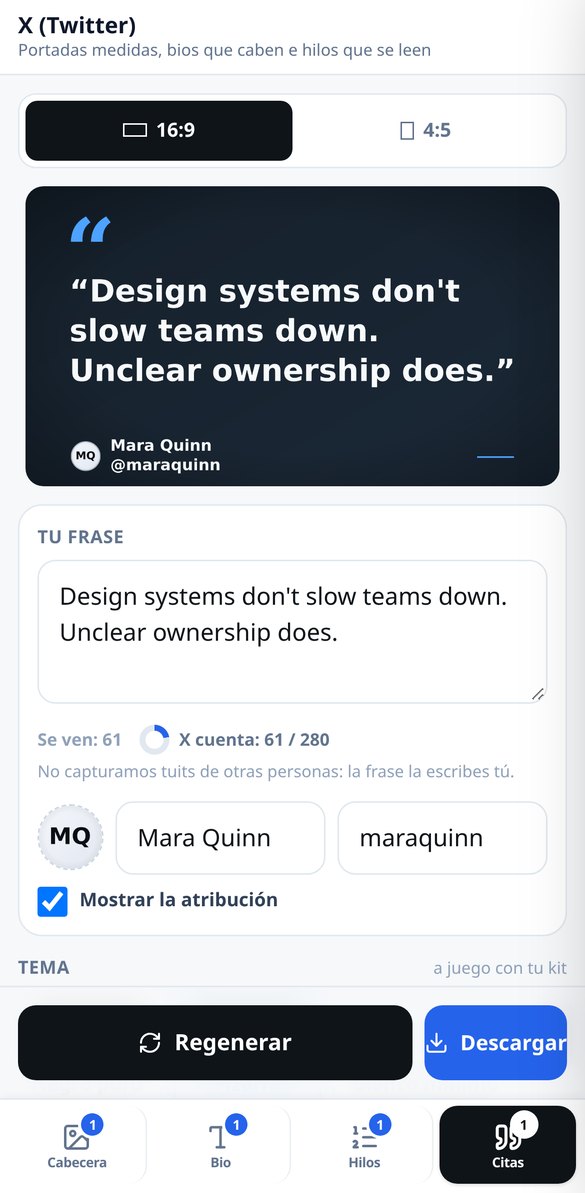
Quote cards for X (Twitter): your sentence/phrase in PNG without watermark
Write your own sentence/phrase and download it as a quote card in 1920×1080 or 1080×1350. Four themes, attribution with your photo and your @handle, no watermark and no registration.
Try it freeFour tools, and the ones people use most don't burn any AI
이미 입력한 내용을 공유하는 네 개의 탭 —사이즈, 라벨, 재판매 및 옷장—. 모든 계산 기능은 계정 없이도 무료이며 무제한입니다. 사진 읽기만 게스트 허용량이 있습니다.

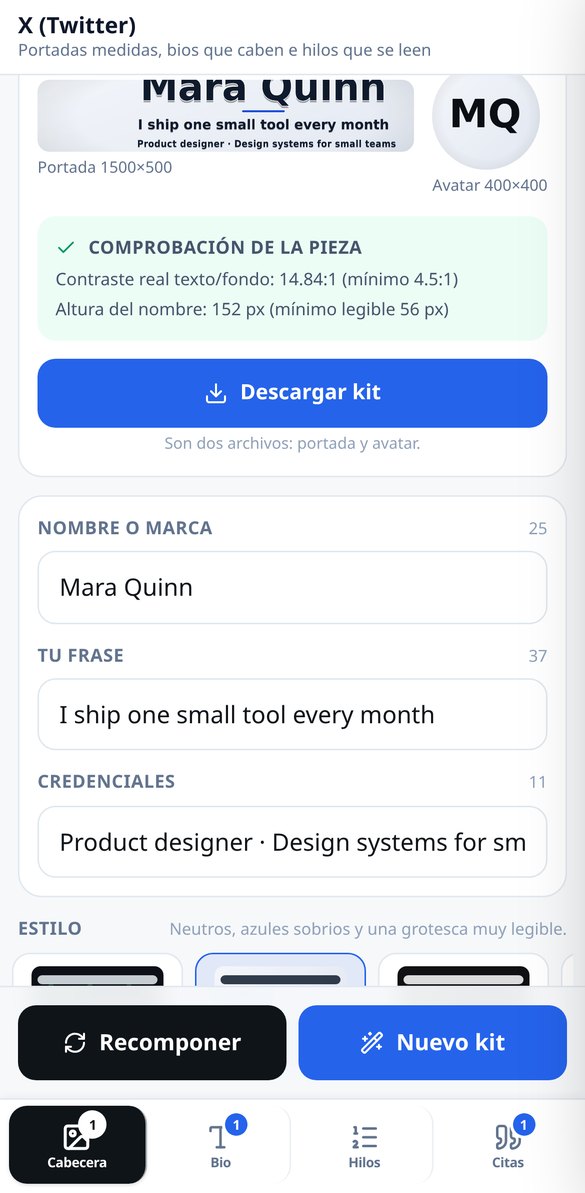
Profile kit: 1500×500 header and matching 400×400 avatar
You write the name or brand, the phrase and, if you want, a credentials line, and the app delivers both pieces composed by the server: the 1500×500 header and the 400×400 avatar, with the same palette and the same typeface. There are 4 fixed visual styles, custom accent color and 5 deterministic backgrounds — linear gradient, radial, solid, dots and engineering mesh — that cost nothing; the AI-illustrated background is optional. You don't place the text by hand: you choose from alignments that already respect the safe zone, so it's very hard to get it wrong. The avatar fits the inscribed circle, because X masks it as a circle, and can carry a monogram, a custom pictogram or a crop of the artwork itself. AI art is paid for once: changing the style, accent, label or avatar recomposes on the same background and costs nothing again.
Bio and fonts: two counters and the truth about fancy letters
The bio is written with both numbers in view: the glyphs you see — a family emoji counts 1, not five — and the weight as X counts it, where emojis and CJK characters are worth 2 and, when the text is a tweet, any link counts as a fixed 23 even if it's 120 long. Below, the 7 curated Unicode fonts, each with its own card: what a screen reader hears with that style, on which phones it may look broken and whether X can still find you in its internal search when you use it, because styling your whole bio has a price nobody tells you about. Links, mentions and hashtags are never styled: they'd stop working. And at the top, the profile card simulator in light and dark, with your name, your @handle, the bio and the avatar from the kit, so you can see how it looks before pasting it.
Threads with a hook and quote cards with no watermark
You give the topic, choose one of the 4 tones and one of the 3 lengths (from 3-5 to 8-12 tweets) and the thread arrives complete: hook in the first tweet, one concept per tweet, closing with a call to action, numbering that DOES count within the limit — the classic mistake — and the long-post version derived from the same generation, without paying a second time. The hook is reviewed against 6 checkable criteria ("Concrete data ✓", "Opens a loop ✗", "No empty formula"), never with a made-up score, and courtesy formulas like "Hi everyone" are banned by the system. If you already have the text written, splitting it into tweets is deterministic and free: it doesn't change your words, doesn't cut mid-word and doesn't break a link. And in Quotes, one of your phrases becomes an image in 16:9 (1920×1080) or 4:5 (1080×1350), with 4 sober themes, attribution with your photo or with the avatar from the kit, and high-resolution PNG with no watermark. Each format has its own template and its own file — the 16:9 one holds 4 lines and the 4:5 one up to 7 — so it isn't the same image stretched.
From blank screen to published profile in three steps
의류 선택
티셔츠, 셔츠, 원피스, 스커트, 청바지, 바지, 니트, 코트, 점프수트 또는 신발. 각 유형은 어떤 치수가 중요한지 알고 있습니다. 튜브 원피스는 엉덩이 치수가 중요하고, 청바지는 허리 치수가 중요합니다.
표와 치수 붙여넣기
표 텍스트를 붙여넣거나, 사진을 찍거나, 숫자를 직접 입력하세요. 계산하기 전에 입력된 내용을 보여드리니 확인하거나 수정하세요. 절대 맹목적으로 계산하지 않습니다.
신호등을 보고 결정하세요
센티미터, 권장 사이즈, 옆 사이즈는 어떻게 될지, 첫 세탁 후 어떻게 될지 등을 초록색, 주황색, 빨간색으로 한눈에 보여줍니다. 어떤 데이터를 변경하든 즉시 재계산됩니다.
Frequently Asked Questions
Latest blog articles
Guides and news to get more out of it

The X algorithm now reads your words, not your letters: what changes in bios, names, and thread hooks in 2026
The X ranking is now a transformer based on Grok: what changes in your name, bio, and the hook of your threads, with data from the code published in 2026.
Carousels on X: dimensions and crops for 20 images per post
X allows 20 images per post since November 12, 2026. Which ratios survive the carousel (4:5 vs 16:9), crops, and which dimensions are unverified.
Set up your X profile with the measurements in view
지금 바로 가입 없이 사이즈를 계산해 보세요. 또는 무료 계정을 만들고 치수, 옷장, 그리고 이미 잘 맞았던 의류를 저장하세요.