 Google
How to Return to Link Searches on Google: udm=14, the Web Tab, and the Operators That Still Work (2026)
Team at AiToolsForAppsWritten with AI assistance15 min readIn summary
- AI Mode occupies the first screen and the ten blue links are left behind. In August 2026, Google confirmed that AI Overviews expand to full screen on certain queries without clicking "Show more", pushing organic results much further down (Search Engine Roundtable, 28-8-2026).
- The classic SERP still exists and can be forced: with the Web filter that Google launched in May 2024 or by adding
&udm=14to the search URL. - For exact quotes and references,
tbs=li:1activates literal results: it disables synonyms, corrections, and optional terms. - Two current facts change the calculation this week: Google is testing a search without AI Mode in private browsing (November 4 and 10, 2026) and the November 2026 core update, released on November 10, shifts rankings globally for up to two weeks (Google Search status panel).
- Five operators that all tutorials keep recommending are dead:
cache:,link:,info:,related:anddaterange:. Using them does not return an error: it returns normal results and makes you believe you filtered.
If you work with sources —a department that needs the original BOE, a selection team looking for the applicable agreement, a writing team wanting the report and not the rehash, purchases chasing the PDF tender, a researcher going for the paper—, what has changed is not that Google finds worse: it’s that the first screen is no longer made for you to leave it. This article gathers what still works to reach the document, with sources and dates. It’s the same ground where aiGoogle, the advanced query builder for Google from AiToolsForApps, operates, and that’s why we tell it all before discussing tools.

Why can’t I find the PDF I used to find on Google?
Because the document is still indexed, but the space where its link appeared is now occupied by a generated summary. Behavioral data is consistent: when there is an AI summary, people click on a traditional result in 8% of visits, compared to 15% when there isn’t one, and only 1% click on the cited sources within the summary itself (Pew Research Center, 22-7-2025, based on 68,879 real searches from 900 U.S. adults in March 2025).
It’s not just a matter of user habit. A randomized field experiment by Saharsh Agarwal (Indian School of Business) and Ananya Sen (Carnegie Mellon), with 1,065 Chrome users in the U.S. during January and February 2026, measured a 38% drop in organic clicks on queries where an AI Overview appeared, and a jump in zero-click from 54% to 72% when the summary was visible (reported by Search Engine Journal, April 2026; it’s a working paper on SSRN, still not peer-reviewed).
The underlying data: in the first four months of 2026, 68.01% of Google searches in the U.S. ended without a single click, compared to 60.45% in 2024, according to SparkToro's clickstream analysis with Similarweb data (study reported by Search Engine Land).
For those who search by profession, the practical consequence is concrete: the summary answers the general question and hides the specific document. And the specific document is exactly what you need to cite, attach, or provide in a file.
Google is testing a search without AI Mode (for now, only in incognito)
Yes: during the first half of November 2026, tests have been documented where access to AI Mode disappears from the results navigation and the search box, but only in incognito mode. AI Overviews still appear; what is removed is the separate conversational interface.
The first notice came on November 4, 2026: a user detected that the AI Mode shortcut button had disappeared from Chrome's incognito while remaining visible in normal sessions (Business Today). On November 10, 2026, Search Engine Watch documented the complete picture: the AI Mode tab, which used to show before the "All" filter, no longer appears in the results navigation, in the homepage box, or in the "More" menu; the order starts again with "All", followed by Images, Videos, News, and Forums (Android Headlines).
Google has not officially announced it, and the most repeated reading is economic: in private browsing, ad tracking and personalization are limited, so the AI performs less commercially there.
What you take away from this as a professional: that the interface is a moving experiment and not a foundation on which to build a method. A button may be there today and not tomorrow, and it may be in your session and not in your colleague's. What doesn’t change from one day to the next is the query syntax and the URL parameters.
The November 2026 core update shifts rankings for up to two weeks
Google launched the November 2026 core update on November 10, 2026, at 10:06 Pacific Time, and announced that "it applies globally and to all languages" and that the rollout may take up to two weeks to complete, meaning until around November 24. As of today, November 12, the Google Search status panel still shows it as ongoing, with no closed duration.
The timing is inconvenient because it falls in the weeks leading up to Black Friday (November 27), and Google has not detailed which categories will be most affected (PPC Land).
Recent core updates are not brief. According to the status panel itself:
| Update | Start | Duration |
|---|---|---|
| November 2026 core update | Nov 10, 2026 | ongoing (up to 2 weeks announced) |
| September 2026 spam update | Sep 24, 2026 | 13 days and 16 hours |
| August 2026 spam update | Aug 18, 2026 | 2 days and 16 hours |
| May 2026 core update | May 21, 2026 | 11 days and 21 hours |
| March 2026 core update | Mar 27, 2026 | 12 days and 4 hours |
| December 2025 core update | Dec 11, 2025 | 18 days and 2 hours |
Source: Google Search status panel (US/Pacific hours), consulted on November 12, 2026.
While a core update is underway, repeating the same search two days in a row may give you two different lists. If your job is to locate the correct document and be able to return to it, that is not a curiosity: it is a traceability risk. The defense is simple and boring: save the query and the URL of the document, not "the position it was in".
How do I force the classic SERP of ten blue links? Three methods that work today
Three paths, from least to most stable: click the Web filter on the results page itself, add &udm=14 to the URL, or save a search with that parameter as a search engine or bookmark so that it appears this way by default. All three return the list of links without AI Overview or added modules.
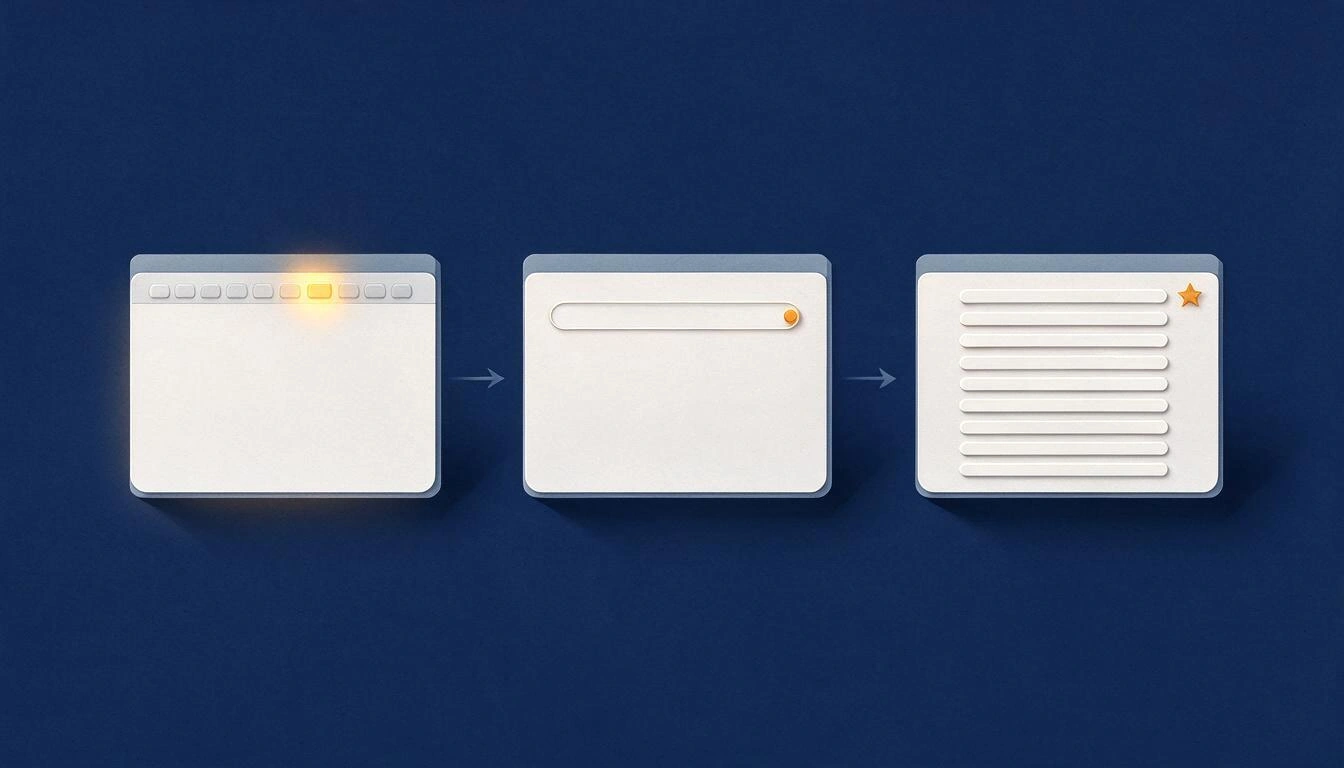
1. The Web filter. Google launched it on May 14-15, 2024, and described it as a response to those who "would prefer to see only links to web pages," for example when searching for long text documents. It appears alongside the other filters or within "More" (Search Engine Journal). The then Search Liaison at Google, Danny Sullivan, celebrated its arrival publicly.
2. The udm=14 parameter. udm controls which modules are displayed on the results page; the value 14 corresponds to the classic web view. It is added to the end of the search URL:
https://www.google.com/search?q=convenio+colectivo+metal+filetype:pdf&udm=143. Make it permanent. In Chrome, Firefox, or Edge you can add your own search engine whose URL is https://www.google.com/search?q=%s&udm=14 and assign it a keyword. From there, every search you launch from the bar will already display in link mode.
An honest warning: udm is not documented by Google. It is a parameter deduced by observing the interface itself, and its acceptance "varies by account, region, client, cookies, and experiment cohort" (Thunderbit, 13-8-2026). In practice, it works and has been working for years, but it is good to know that there is no support commitment behind it. The Web filter, on the other hand, is indeed an announced feature.
URL parameters table: what each one does
| Parameter | What it does | Status |
|---|---|---|
udm=14 | Classic web view: only links, no AI Overview or modules | Not documented, works stably |
udm=50 | Opens the conversational interface of AI Mode | Not documented |
udm=18 | Forum results | Not documented |
tbs=li:1 | Literal results (verbatim): no synonyms or corrections | Via tbs, equivalent to the tool in the interface |
tbs=qdr:m | Last month (d day, w week, y year) | Active |
tbs=sbd:1 | Sort by date instead of relevance | Active |
nfpr=1 | Disables autocorrection of the query | Observed, active |
lr, cr | Restrict by document language and by country | Active |
num=100 | One hundred results per page | Stopped being reliable in September 2025 |
Source of the statuses and values of udm: Thunderbit, 13-8-2026. The udm values are reverse-engineered from the interface, not official documentation.
Literal results: why tbs=li:1 matters when searching for an exact reference
Literal results (verbatim) make Google search for exactly the words you have written, disabling spell checks, roots, synonyms, and the conversion of terms into "optional". It is activated from Tools in the interface or by adding tbs=li:1 to the URL.
This solves a very specific problem in documentary work: when searching for a case number, an unusual proper name, a regulatory reference, or a textual citation, Google tends to "help you" by interpreting the query, and what you receive are similar documents instead of the document. Combined with udm=14, you have the most useful pair for the job:
https://www.google.com/search?q=%22Real+Decreto+1620/2011%22&udm=14&tbs=li:1The quotes and the literal mode are not the same and complement each other: quotes require the sequence of words; the literal mode prevents Google from rewriting the rest of the query.
Operators still working in 2026
Google officially documents a small set: quotes for exact phrase, site:, the dash - for exclusion, before:, after:, and filetype:, with the warning not to leave spaces between the operator and the term (Google Search Help). Beyond those six, there are operators that continue to respond in practice without being documented —intitle:, inurl:, OR, parentheses— and it is advisable to use them knowing they exist without guarantees.

| Operator | What it serves in documentary work | Example |
|---|---|---|
"..." | Exact quote, case, or designation | "pliego de cláusulas administrativas particulares" |
site: | Confine the search to the official source | site:boe.es · site:europa.eu |
filetype: | Go to the document, not the press release | filetype:pdf · filetype:xlsx |
- | Remove the noise that always appears | -plantilla -resumen |
before: / after: | Narrow by date (format YYYY-MM-DD) | after:2026-01-01 |
intitle: | Require the word in the document title | intitle:convenio |
inurl: | Capture path patterns of repositories | inurl:licitacion |
OR and ( ) | Group synonyms from industry jargon | (pliego OR bases) (obra OR suministro) |
site: combined with filetype:pdf and udm=14 is, today, the shortest path from a browser to an official document. A complete example:
site:boe.es filetype:pdf "despido objetivo" after:2026-01-01The five retired operators that half of the internet still recommends
cache:, link:, info:, related: and daterange: do not work, and the problem is that they do not fail with an error: they return results that look normal, so you think you have filtered when you have filtered nothing. They continue to appear in guides and cheat sheets published in 2026.
| Retired operator | When it died | What to use today |
|---|---|---|
cache: | Google removed the cache link in February 2024, and the function died completely in September 2024 (Search Engine Land) | The historical archive of the Wayback Machine, which Google added as a substitute |
link: | Officially dead in January 2017 (Search Engine Land) | Third-party backlink tools; Search Console for your own domain |
info: | Stopped working in March 2019 (Search Engine Roundtable) | site:domain.com plain |
related: | Google confirmed its retirement in 2023; its Search Liaison acknowledged that it "had not been working well for a long time" (Search Engine Land) | Queries with OR and industry vocabulary |
daterange: | Never documented and has gone years without reliable results | before: and after:, documented by Google, or the date range tool |
And two classics that were already history before: the + to force a word was retired in 2011 (Search Engine Land) —its function is now fulfilled by quotes— and the tilde ~ to include synonyms fell in 2013.
When the ranking shifts, the precise query is the only stable thing
The thesis of the article, in one sentence: the position of a document in the list depends on an algorithm that is being reordered globally this week, and on the AI module that intervenes that day; the query that describes it precisely does not depend on either of the two.

From this, three habits withstand interface changes:
- Document the query, not the result. A line with
site:,filetype:, the exact phrase, and the date range is reproducible by a colleague in six months. "I saw it in the third result" is not. - Start from the source, not the topic. If you know that the document lives in the BOE, in a contractor profile, in a university repository, or on the European Commission portal,
site:turns a search into a query for a file. - Separate discovery from verification. An AI summary is useful for guiding you on what to search for; to cite, you go to the document. The 1% of clicks on the sources of the summary measured by Pew indicates that almost no one does that second half.
The real effort lies in writing the query well: remembering that filetype: has no space, that before: wants YYYY-MM-DD, that related: does not work, that OR is in uppercase. It is precisely the mechanical work that a tool can take off your hands: aiGoogle is an advanced query builder for Google that composes the string with the correct syntax and leaves it ready for you to launch or save.
Frequently Asked Questions
How do I remove Google's AI summary and see only links?
Click the Web filter on the results page —next to Images, Videos, or within "More"— or add &udm=14 at the end of the search URL. Both methods return the list of links without AI Overview or additional modules. To make it permanent, add a search engine in your browser with the URL https://www.google.com/search?q=%s&udm=14.
Does udm=14 still work in November 2026?
Yes, it works. But it is not a parameter documented by Google: it was obtained by observing the interface itself and its acceptance may vary depending on account, region, browser, and test cohort (Thunderbit, 13-8-2026). If one day it doesn't respond, the Web filter —which is a function announced since May 2024— is the alternative.
Is Google going to remove AI Mode?
It has not announced it. What is documented is a test in which access to AI Mode disappears from the results navigation and the search box only in private browsing, detected on November 4, 2026 (Business Today) and described in more detail on November 10 (Android Headlines). AI Overviews continue to appear in the results.
How do I search only PDFs on an official website?
Combine the two operators documented by Google: site: for the domain and filetype: for the format, with no spaces after the colons. For example, site:boe.es filetype:pdf "targeted dismissal". Add &udm=14 to the URL so that the list does not come mediated by a summary, and after:2026-01-01 if you want to limit the date.
Why does cache: no longer work for me and what should I use instead?
Because Google removed it: first it removed the cache link from the results in February 2024 and then completely disabled the operator in September 2024 (Search Engine Land). The substitute is the historical archive of the Wayback Machine, which Google started linking from the results.
What do I do if a document I found last week no longer appears in the same position?
This is the expected behavior these days: the core update of November 2026 started on November 10 and its rollout can last up to two weeks, globally and in all languages (Google Search status panel). Always save the URL of the document and the query that found it; the query is reproducible, the position is not.
Are literal results the same as putting quotes?
No, and they complement each other. Quotes require that the exact sequence of words appears on the page. Literal results (tbs=li:1) act on the entire query: they disable spelling corrections, synonyms, roots, and term conversion to optional. For a case number or a regulatory reference, use them together.
The craft of searching has not disappeared: it has changed places
The first Google screen is no longer designed for you to leave it, and the experiments of these two weeks —the test without AI Mode in incognito, the core update still in flight— confirm that the interface will continue to evolve. What does not change is the well-written query: site: for the source, filetype: for the document, quotes for the citation, dates for the period, udm=14 to see the list, and tbs=li:1 so that no one misinterprets what you have requested.
If that is your daily routine and you are tired of writing it by hand, aiGoogle —the advanced query builder for Google by AiToolsForApps— exists exactly for that: to compose the string with the current syntax, without retired operators sneaking in along the way.
Stop struggling with syntax: compose your query with site:, filetype:, dates, and udm=14 in aiGoogle, no registration required, and get the link ready to launch on Google.
Stop struggling with syntax: compose your query with site:, filetype:, dates, and udm=14 in aiGoogle, no registration required, and get the link ready to launch on Google.Keep reading
View all articles →
How to Return to Link Search on Google: udm=14, the Web Tab, and Operators That Still Work (2026)

Broken Geode in Geometry Dash 2.2091: which mods are not working and how to keep creating

DLS 27 in December 2026: what is confirmed, what is not, and what happens to your club, your squad and your kits when you update
